Every blog block in one post
Updated 2 min read

Key takeaways
- Each insertable block appears at least once, with the callout in all four styles.
- The table of contents here lists Heading 2 and Heading 3.
- This post uses a custom sidebar call to action and picks its related post by hand.
This post is for reviewing the blog's insertable blocks. Its copy is placeholder text. For a real article, see the data privacy guide.
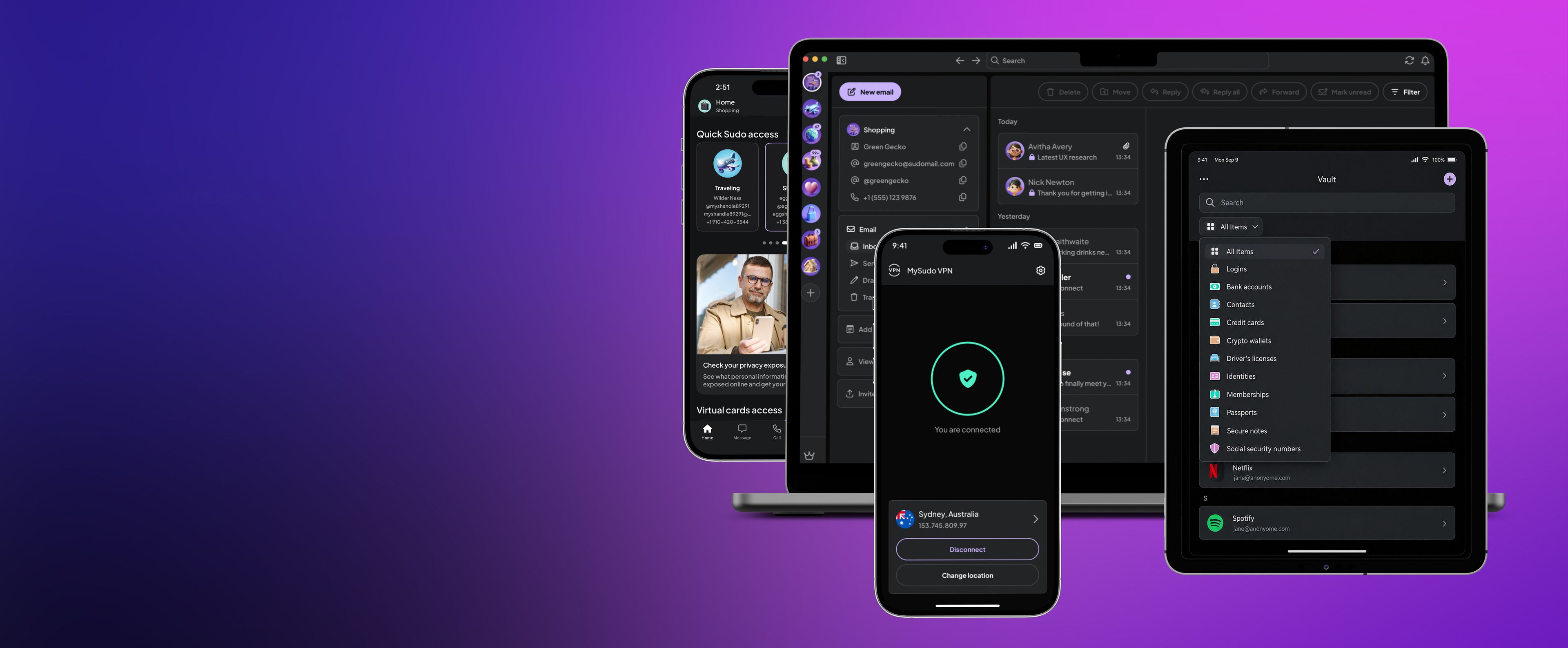
A YouTube video. Nothing loads from YouTube until you press play.
An uploaded video with placeholder captions and no poster, so the frame shows the brand gradient until it plays.
Good to know
A note adds context that's useful but not essential.
A tip without a title. Screen readers hear "Tip" first.
Before you share
A warning flags a risk the reader should know about.
Checklist
- Turn on two-factor authentication
- Use a unique password for every account
- Freeze your credit
On phones, the table scrolls sideways and the first column stays in place.
| Feature | MySudo | Your real details | Burner app |
|---|---|---|---|
| Separate phone numbers | |||
| Separate email addresses | |||
| Private browser for each identity | |||
| Virtual cards | US only | ||
| Price | From $1.99 a month | Free | Varies |
Body text can be bold, italic or a link (opens in a new tab).
Heading 3s appear in this post's table of contents, indented under their Heading 2.
- A bulleted list item
- Another bulleted list item
Heading 4s never appear in the table of contents.
- A numbered list item
- Another numbered list item
Ready to try it?
MySudo lets you create Sudos: separate digital identities, each with its own details, so you share less of your own.
- A phone number for calls and texts
- An email address for sign-ups and receipts
- A private browser that blocks ads and trackers
- Virtual cards that keep your bank details private
No. We don't sell any personal information or activity. Our business is providing privacy tools, not selling your information.
A Sudo Handle is a username for free, end-to-end encrypted calls and messages with other MySudo users.
A Sudo phone number works with anyone, including people who don't use MySudo, through standard calls and texts.
“Privacy isn't about having something to hide. It's about having something to protect.”
“Moving my passwords over took minutes, and now every login has its own strong password. I finally stopped reusing the same three.”
 Priya K.
Fast, encrypted internet connection anytime anywhere.
- Data privacy
- VPN

About the author
Connor ForrestRole to confirm
Placeholder bio. Write one to three sentences about Connor in Studio.